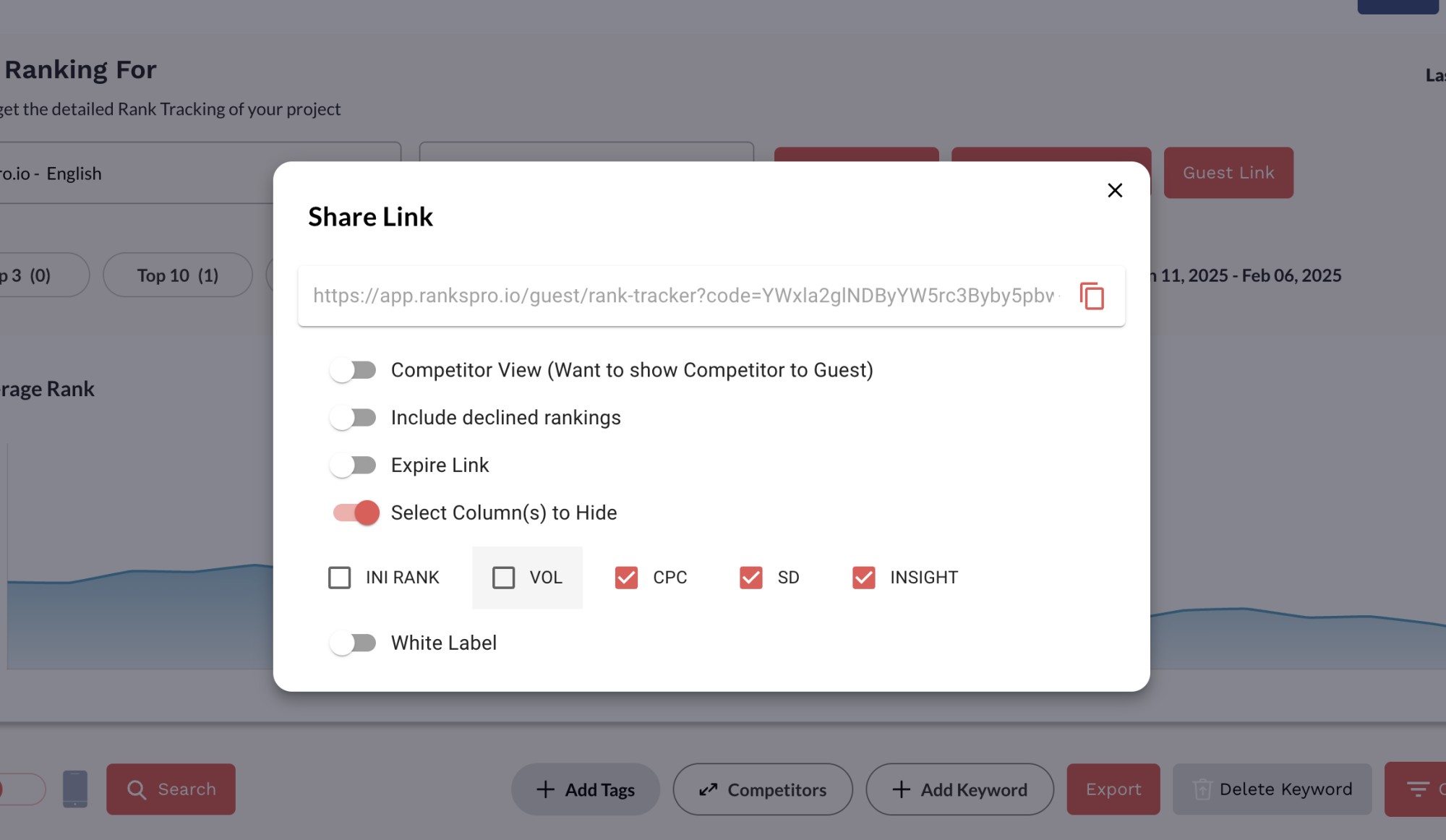
✨ New Feature: Customize Your RanksPro Guest Links!
We're excited to announce a new feature that gives you even more control over your RanksPro Guest Links: Column Customization! Now, you can choose exactly which columns you want to show (or hide) when sharing your Rank Tracker data with clients or team members. [](https://www.loom.com/share/bbc02f67bbce43d18f2c53691f4cbb6c?sid=68ede360-9df0-48de-af68-75232fef912e) How to customize your Guest Links: Go to Rank Tracker. Select the project you want to share. Click the "Guest Link" button. Toggle the "Select Column(s) to Hide" option. Choose the columns you want to hide. Share the customized link with your clients or team! We hope this enhancement makes it even easier to share your campaign progress and impress your clients and hide what you don't want to share with them. Apart from this, we already added the option to Hide the Declined Rankings in past. As the next step along with new updates and improvements we will be adding the way for your own domain.